



Family mission control
Everyone’s events and everyone’s tasks, colour-coded per person, so a clash shows up early. Shared lists sit alongside them, updated on every phone.


Less effort planning tasks, events, and lists. More time for the moments that matter.
Everyone’s events and everyone’s tasks, colour-coded per person, so a clash shows up early. Shared lists sit alongside them, updated on every phone.

Save the milestones and the small ones: first day, lost tooth, the thing they said at breakfast. It’s a memory book, not another camera roll.

Event, task, moment or a whole sentence: every quick action sits on the same +, under the thumb already holding the phone.

Type the week the way you’d text a partner. SPARC turns it into events and tasks for the right people, and shows you before it adds anything.
Not a chatbot bolted on the side. Just enough help to keep a shared planner alive past the first week.



SPARC is free, and every family that joins in its first 12 weeks is a founding family: when the paid plan arrives, you keep a second editing adult free, permanently. That's the thanks for being early.
On iPhone, iPad and Android. Free, no ads, nothing to pay.
Every review SPARC has had on the App Store so far.
Really liking Sparc so far. It helped me stay a bit more organised, and my husband loves his little robot, Orbit.
sfftdghReally handy for me and my family, and so easy to use. The app looks great too, with a clean layout and fun little robots the kids loved picking.
valinaelenaIt’s adding fun to planning family activities, compared to boring shared calendars.
st_zSPARC is free and fully useful today. Plus is coming for households that want more editing adults and a moment every week. Nothing to buy yet, and nothing is charged in the app. Prices are indicative until it launches.
Everything a household needs to run a week.
That is £4.17 a month, billed once a year. One subscription covers the whole household. Per family, not per seat.
It's free on both stores: on iPhone and iPad from the App Store, and on Android from Google Play.
Open Settings (tap your avatar) → Family → Invite a member. Share the code that appears; they enter it when they set up the app to join your family space.
There are no passwords. Enter your email and we send a one-time code. Type that in and you're in. If the code doesn't arrive, check your spam folder and that the address is spelled correctly.
Settings → Family → Add, then their name and any details you want. Children don't get their own login. They're profiles inside your family space that you manage.
Yes. When you allow calendar access, your family events are added to your device calendar (and Google, if that's connected to it). We only add your events. We don't read the rest of your calendar.
Yes. Each family's space is visible only to that family, enforced at the database level rather than just hidden in the app. We don't sell your data and we don't use it for advertising. The full detail is in the Privacy Policy.
No. Plus is a plan we're building that will add more editing adults, a new moment every week, and Bot Companion. It isn't available to buy. There's no payment in the app right now. Families who join by 22 December are founding families and keep their perks, and can try Bot Companion free in the meantime.
Settings → Preferences. Switch between light and dark, or follow your phone.
Settings → Security → Delete account. That removes your account, and if you're the family owner, your family space and all of its events, tasks, lists, moments and photos. It can't be undone.
The app stays free. Plus is planned at £49.99 a year (or £4.99 a month) per household, with a 7-day trial. Founding families keep a second editing adult free.
Everyone picks one. It becomes their colour across the calendar, tasks and moments, so even the kids who can't read yet know which events are theirs.
 Zing
Spark
Zing
Spark
 Orbit
Orbit
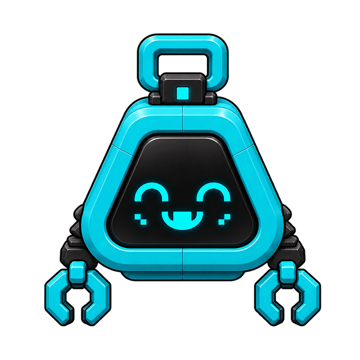 Byte
Skye
Byte
Skye
 Lumi
Elise
Lumi
Elise
 Mace
Mace
 Mochi
Mochi
 Pip
Pip
 Nova
Nova
 Nox
Nox
We're small, we read every message, and we aim to reply within two working days.
Bugs, questions, a feature you wish existed, or a request to delete your data. All of it comes to the same inbox.
Free, nothing to pay, no ads. Join by 22 December and you're a founding family, with perks that don't expire.
On iPhone, iPad and Android.